
 👀 Choose SSD-powered VPS servers for increased speed, power, and security! Now 50% off- starting from only $3.19/mo.
This article provides a guide demonstrating how to check Softaculous license details.
How to Check Softaculous License Details from Softaculous Plugin
To check Softaculous license details from Softaculous plugin (such as cPanel), follow the steps provided:
- Login to WHM as root user.
- Navigate to Plugins -> Softaculous - Instant Installs
- View the license details from the Softaculous plugin home screen:
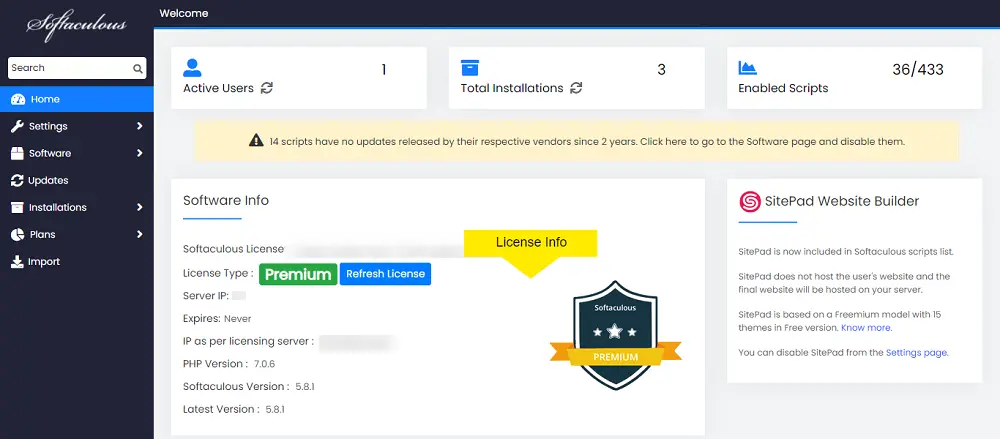
How to Check Softaculous License Details from Command Line
To check Softaculous license details from command line, follow the steps provided:
- SSH the server as root.
- Run the following command:
php /path/to/softaculous/cli.php -lReplace
/path/to/softaculouswith the path to your Softaculous installation (i.e./usr/local/cpanel/whostmgr/docroot/cgi/softaculousfor Softaculous installed on cPanel servers) - View output:

How to Check Softaculous License Details from Softaculous Web Interface
To check Softaculous license details from Softaculous web interface, follow the steps provided:
- Navigate to https://www.softaculous.com/verify/ in your browser.
- Enter the IP address of the server where Softaculous is installed.
- Click "Verify" to proceed with Softaculous license check.
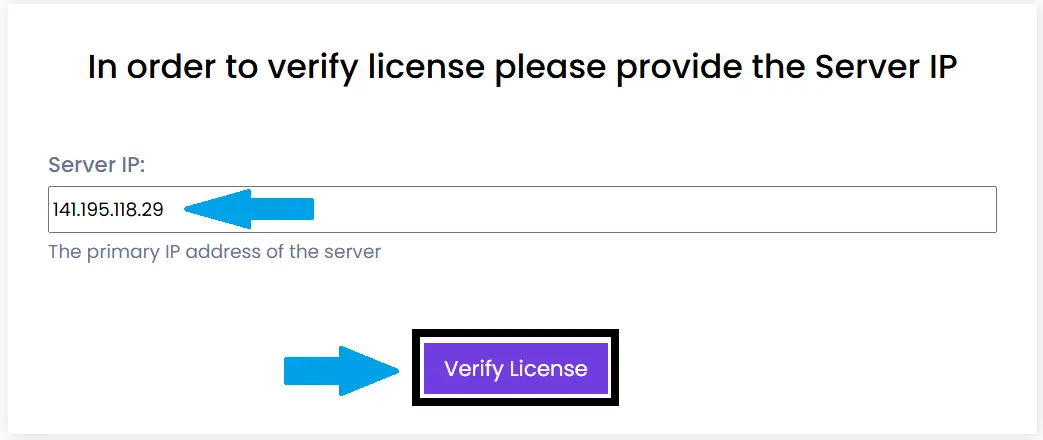
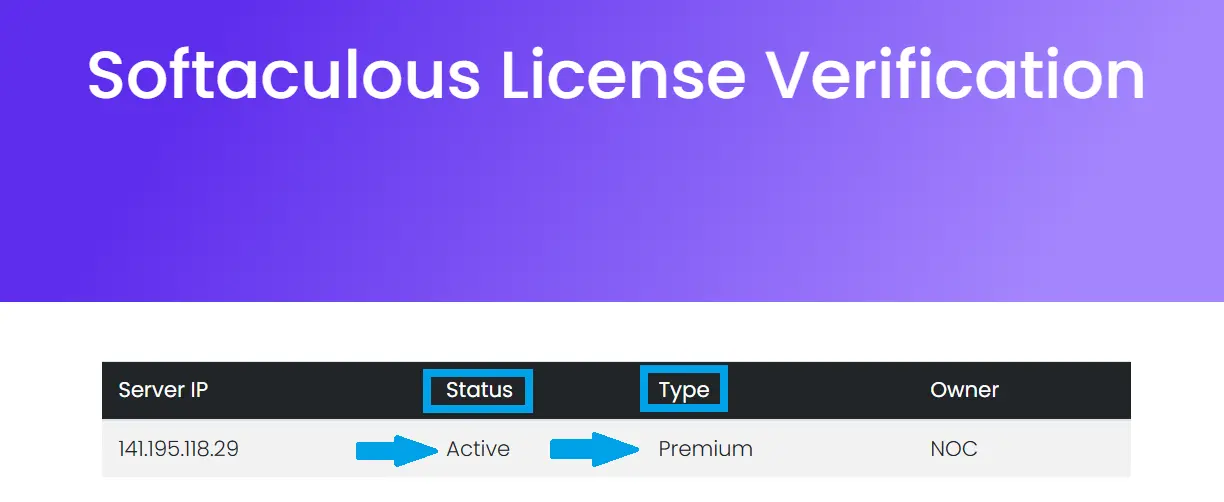
- View results:
Conclusion
You now know how to check Softaculous license details using Softaculous plugin, Softaculous CLI (command line), and Softaculous web interface.
