
 👀 Choose SSD-powered VPS servers for increased speed, power, and security! Now 50% off- starting from only $3.19/mo.
This article provides a guide for how to configure optional configurable options for use with VPS Reseller WHMCS module.
Optional Configurable Options
The WHMCS VPS Reseller module supports the following Configurable Options:
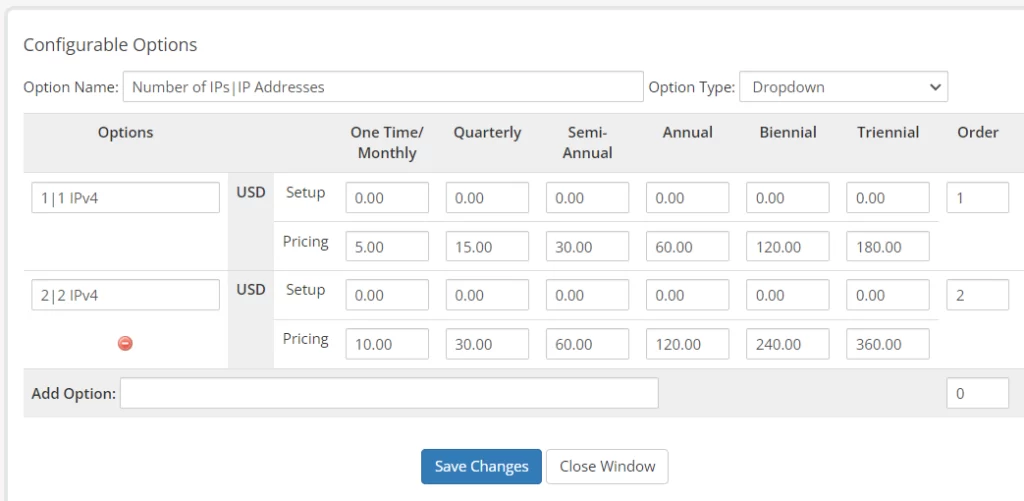
- Number of IPs – number of IPv4 to add to VPS (Integer)
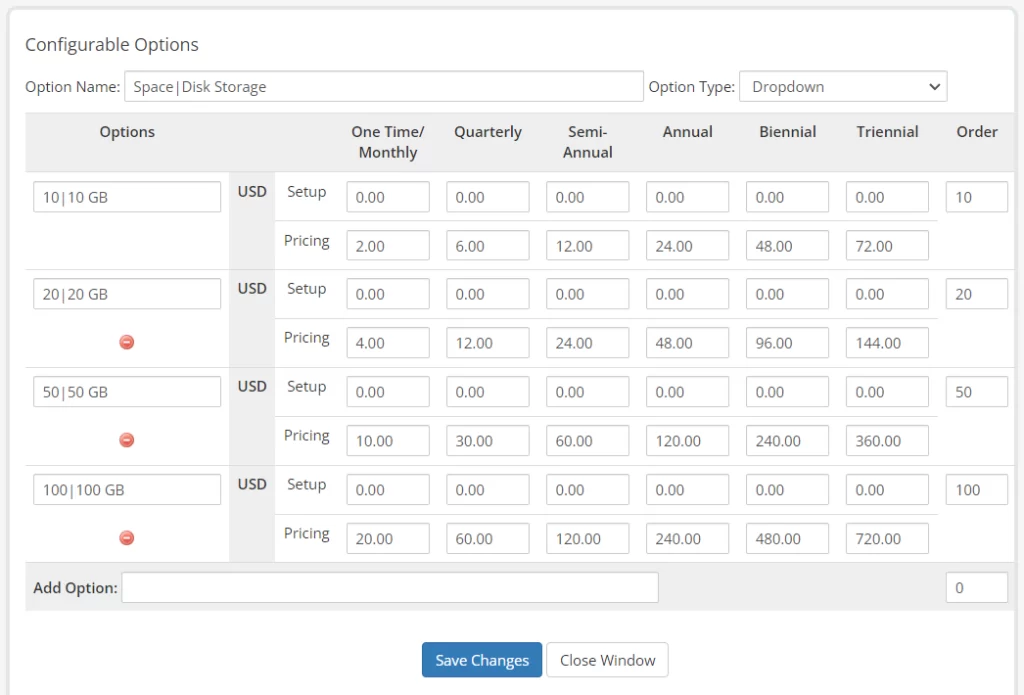
- Space – amount of disk storage to assign VPS (Integer-in GB)
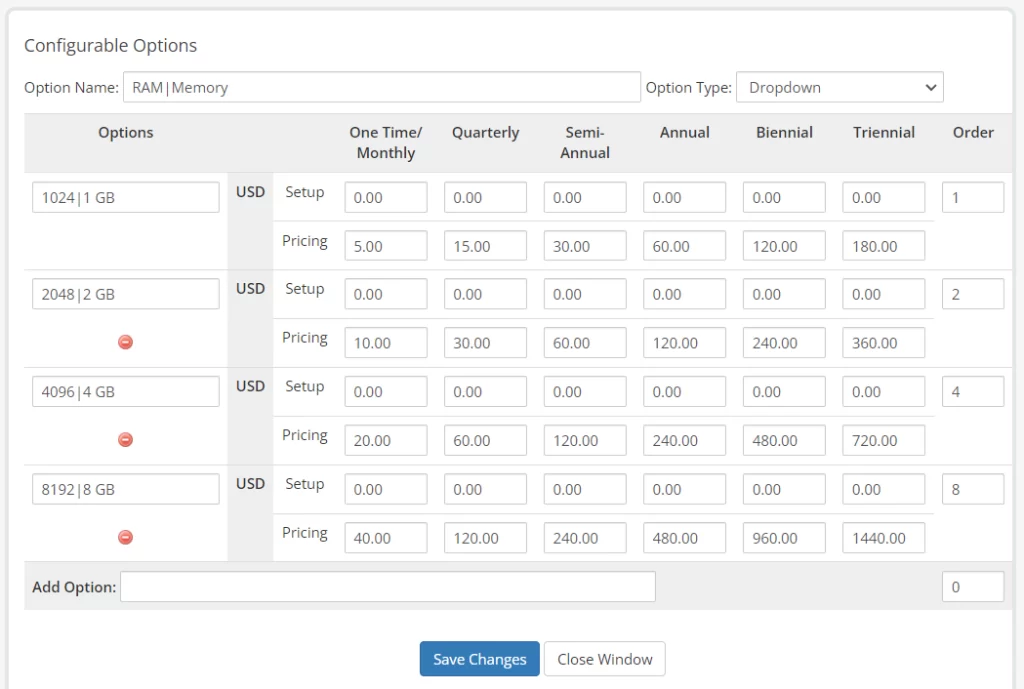
- RAM – amount of physical memory to assign VPS (Integer-in MB; 1024MB=1GB)
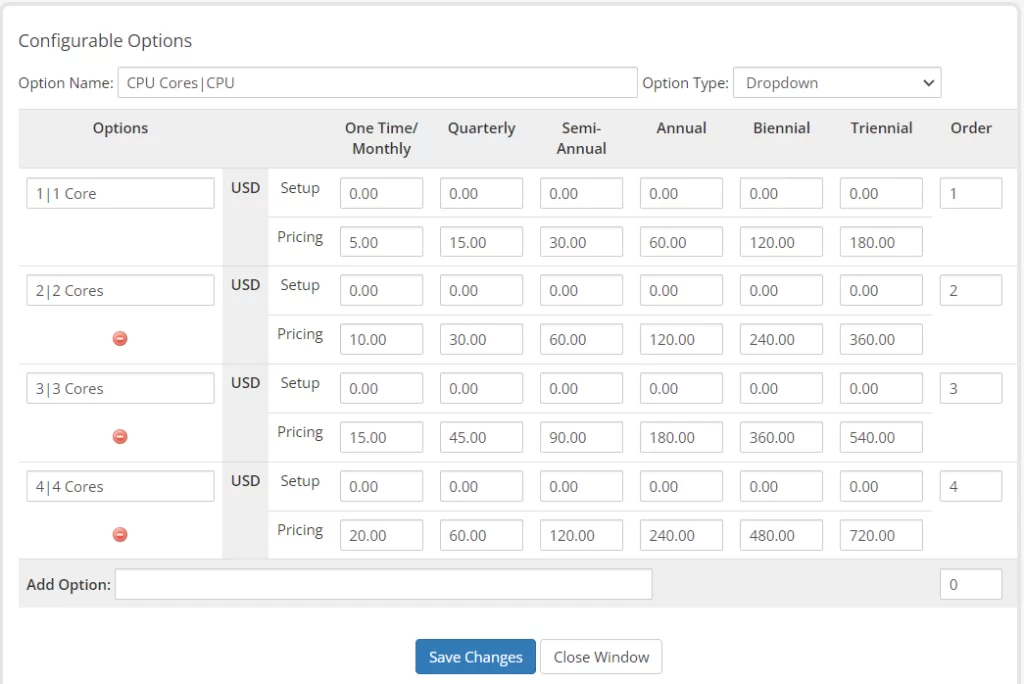
- CPU Cores – number of CPU Cores assigned to VPS (Integer)
- Operating System – selection for KVM template image file to install operating system (name-version-architecture-without file extension: i.e. “ubuntu-22.04-x86_64”)
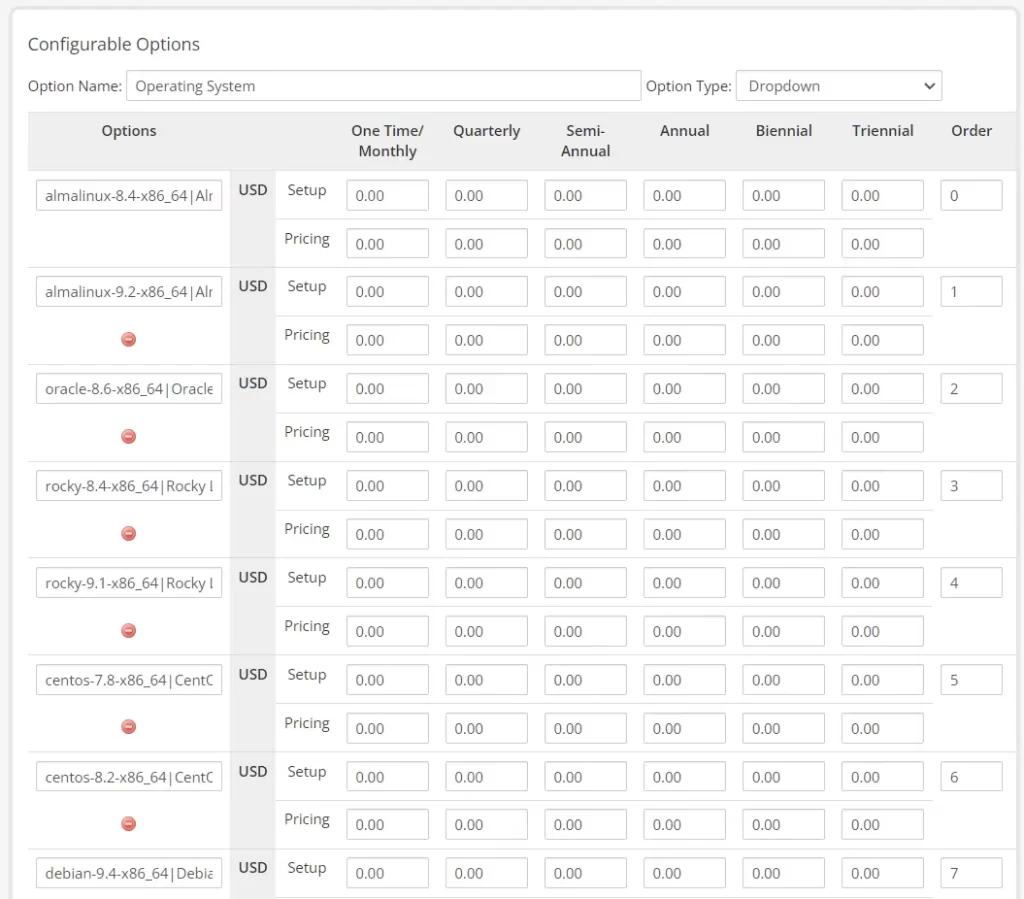
- Region – selection for VPS Location file to install operating system (Available options: “USA, NYC, PARIS, TOKYO”)
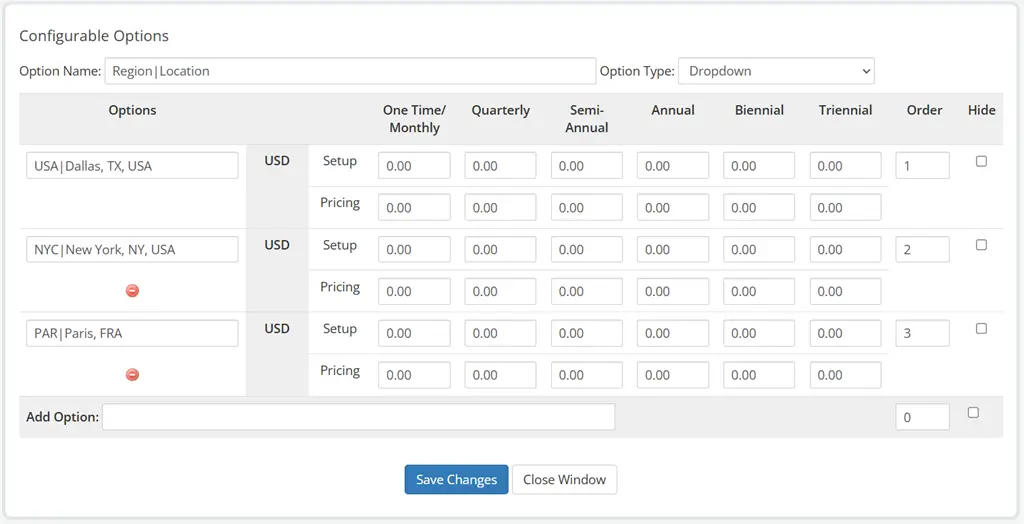
You must use the exact names for configurable options (listed in bold above). You can change the output values of configurable options by appending a “|” followed by the desired text.
For example, you can create a configurable option named “Number of IPs|IP Addresses”, which would output “IP Addresses” only, but still function properly with the VPS Reseller module API.
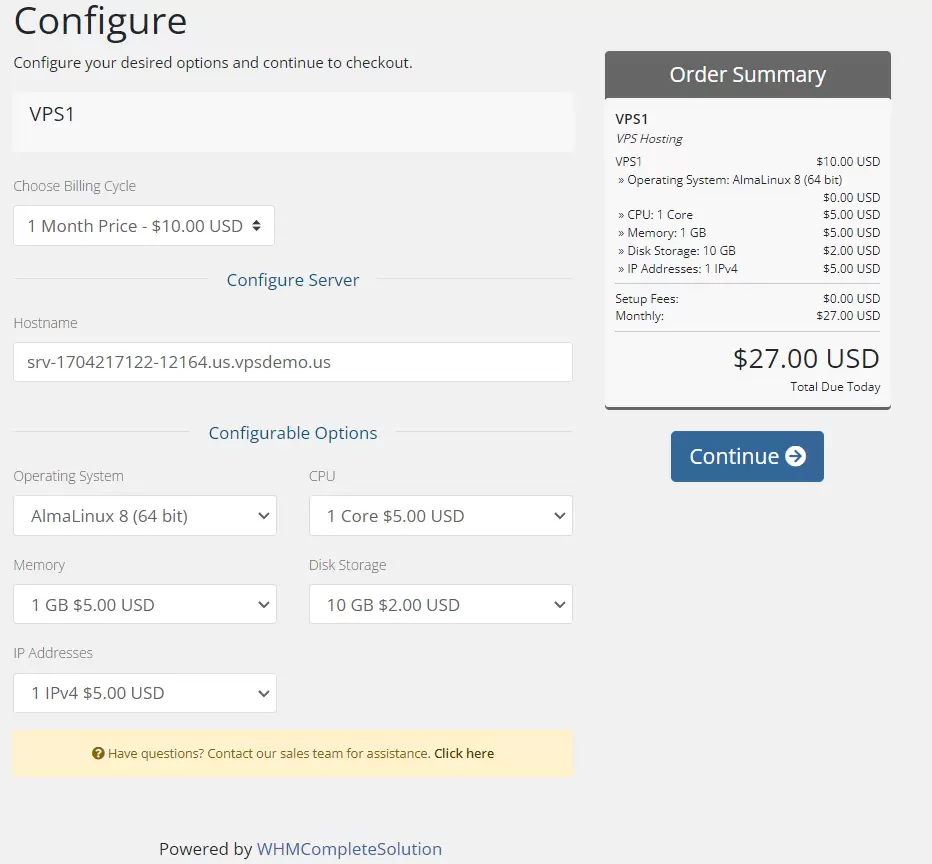 Integrate VPS Reseller with WHMCS – Configurable Options – Client Area Order Form Output
Values configured by Configurable Options take precedence over Product “Module Settings” and “Custom Fields”. For example, if the “RAM” configurable option is provided, this value would be used rather than the value assigned by “Guaranteed RAM” value in “Module Settings”.
Conclusion
You now know how to configure optional Configurable Options for use with VPS Reseller WHMCS module.
