
 👀 Choose SSD-powered VPS servers for increased speed, power, and security! Now 50% off- starting from only $3.19/mo.
This article provides a guide to opening a support ticket in your Hosting Dashboard.
How to Open a Support Ticket
- Login to your Hosting Dashboard account
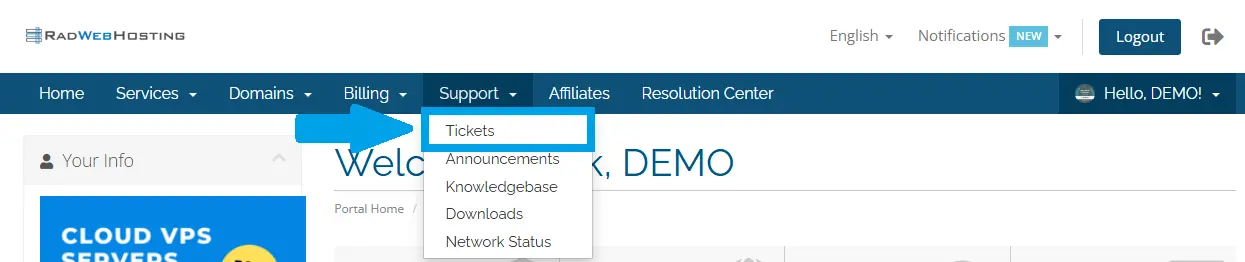
- Navigate to "Tickets" using the primary navigation menu (located under "Support")
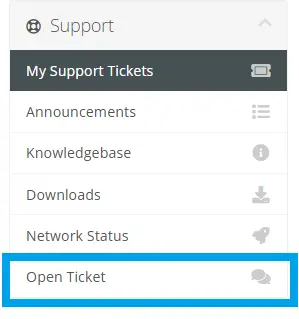
- Navigate to "Open Ticket" in the sidebar menu (located under "Support")
- Select the appropriate Support Department from the list
- Fill in the required fields related to your support request
- Click on "Submit" to submit your request
Your support request has now been submitted. Our Support Technicians will review and update your ticket. Check for responses in your Hosting Dashboard. SMS, email, and Pushover notifications are available for updates.
Conclusion
You now know how to open a support ticket from your Hosting Dashboard account.
