
 👀 Choose SSD-powered VPS servers for increased speed, power, and security! Now 50% off- starting from only $3.19/mo.
This article provides a guide for how to reset your Security Question in your Rad Web Hosting account.
The Security Question provides additional layer of verification.
How to Reset Your Security Question
To add reset your Security Question in your Rad Web Hosting account, follow the steps provided below:
- Login to your Hosting Dashboard account.
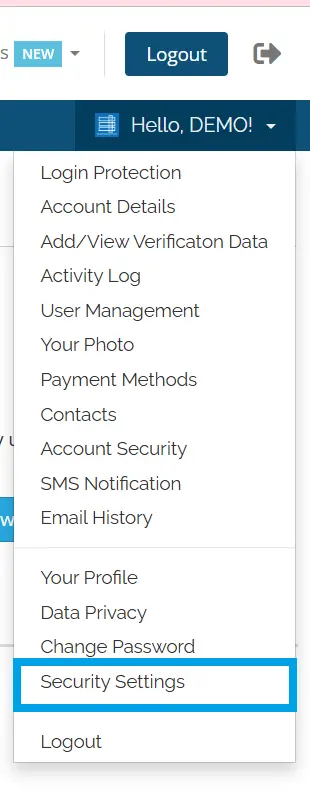
- Using the account menu, navigate to "Security Settings":
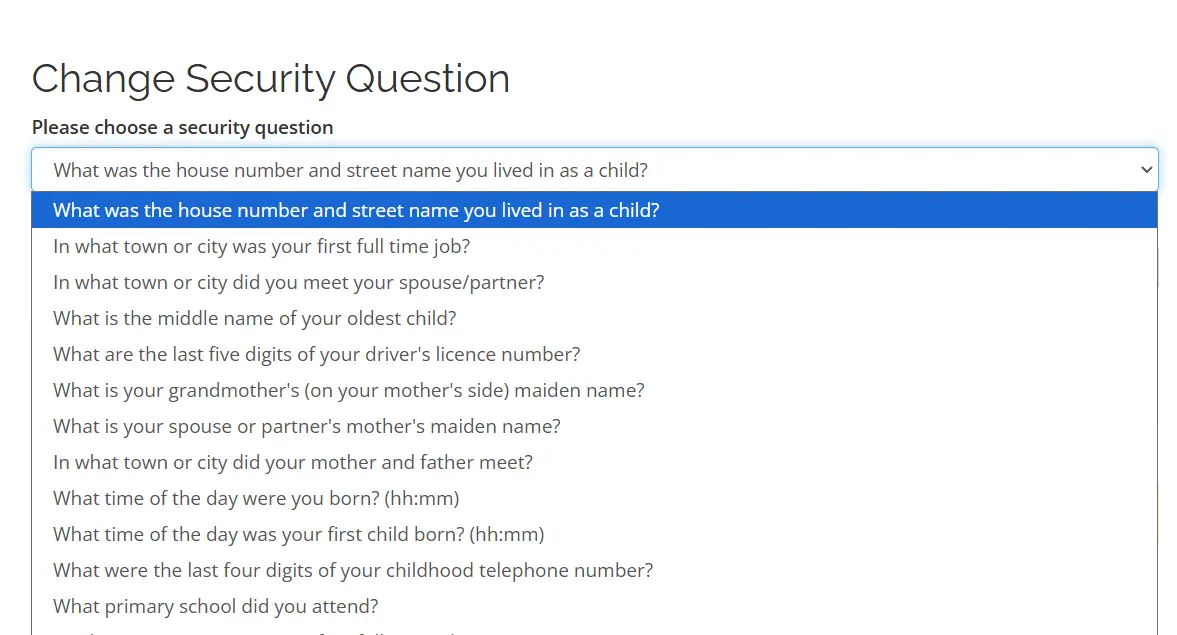
- Scroll down to "Change Security Question" drop-down menu:
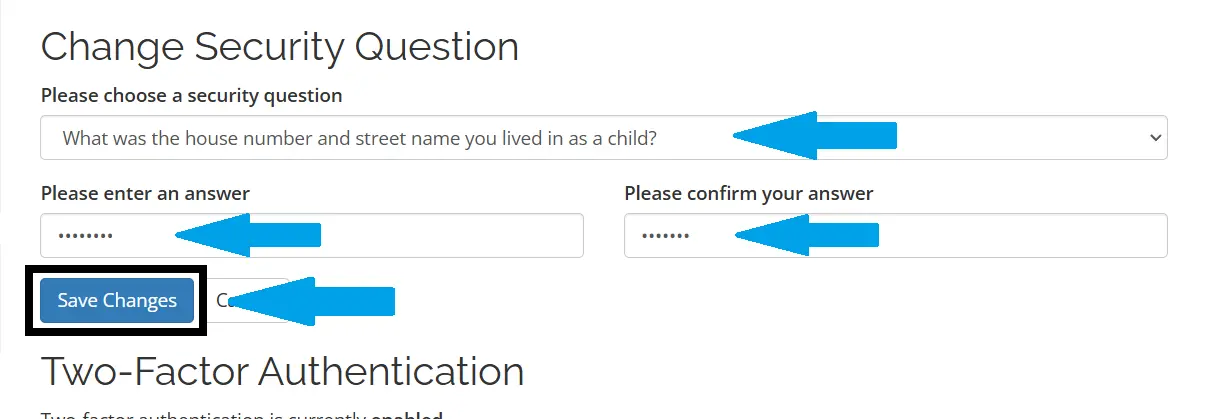
- Fill Security Question Answer
- Confirm Security Question Answer
- Click "Save Changes" to update the Security Question settings.
Conclusion
You now know how to reset your Security Question in your Rad Web Hosting account.