
 👀 Choose SSD-powered VPS servers for increased speed, power, and security! Now 50% off- starting from only $3.19/mo.
This article provides a guide demonstrating how to view Welcome Email in Hosting Dashboard. This method can be helpful if you've misplaced your copy of the Welcome Email.
What is a Welcome Email?
When you sign up for a new hosting service, Rad Web Hosting will send an email containing all of that service's pertinent details you'll need to access and use the service. The Welcome Email may contain information such as server details, login credentials, steps to access, and other details relevant to your new service.
How to View Welcome Email in Hosting Dashboard
To view Welcome Email in Hosting Dashboard, follow the steps below:
- Login to the Hosting Dashboard
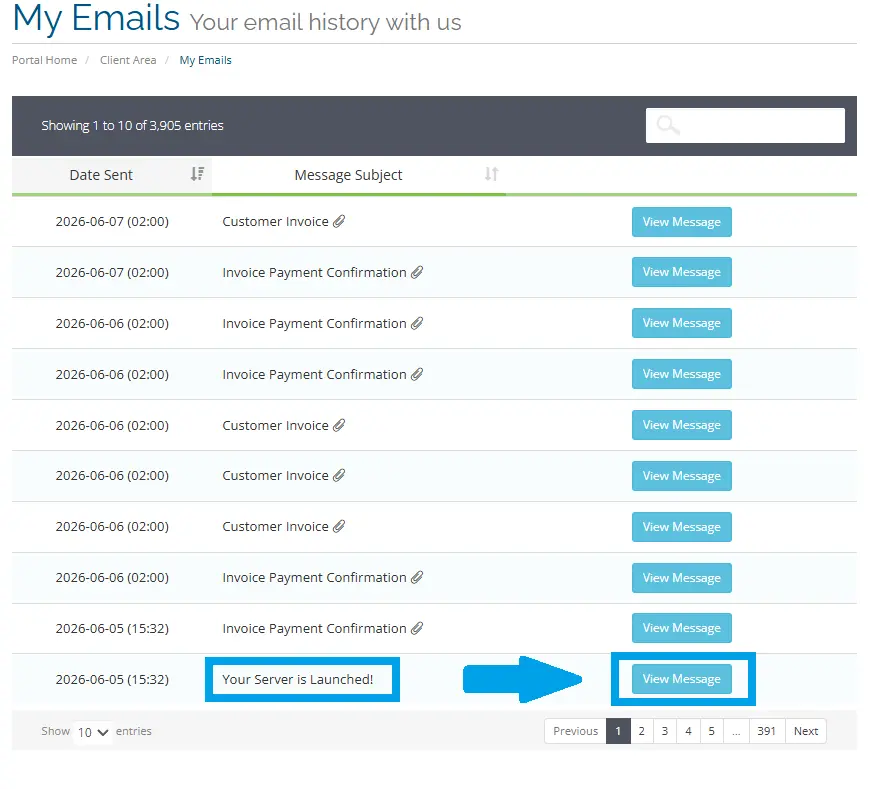
- View Your Email History
- Locate the Welcome Email and click "View Message":
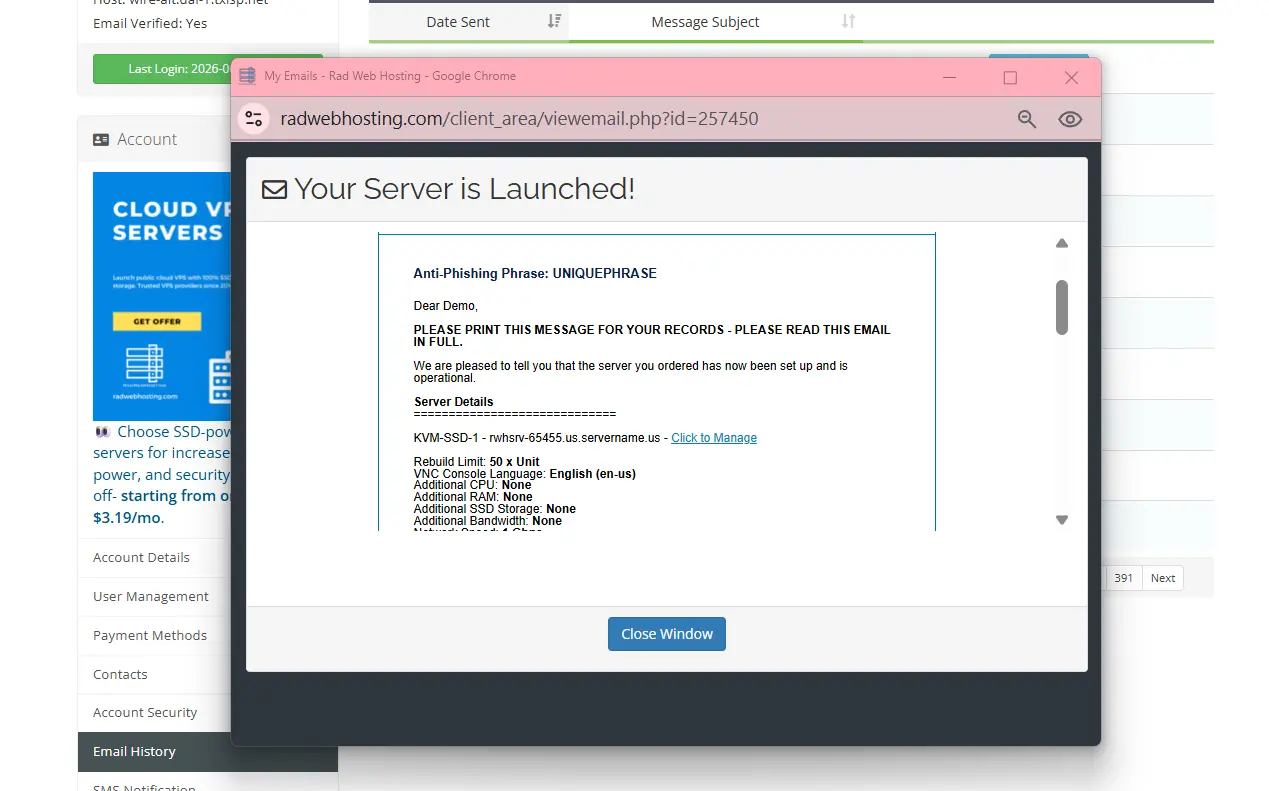
- View the contents of the Welcome Email:
Conclusion
You now know how to view Welcome Email in Hosting Dashboard.
