
 👀 Choose SSD-powered VPS servers for increased speed, power, and security! Now 50% off- starting from only $3.19/mo.
This article provides a guide demonstrating how to enable RDP during Windows VPS creation. This guide is intended for Cloud Administrators using VPS reseller account.
How to Enable RDP During Windows VPS Creation
Follow the steps below to enable RDP access when creating a VPS using the Cloud Panel interface:
- Login to Cloud Panel
- Navigate to "Create Server" using the primary navigation.
- Configure the server to install a Windows operating system.
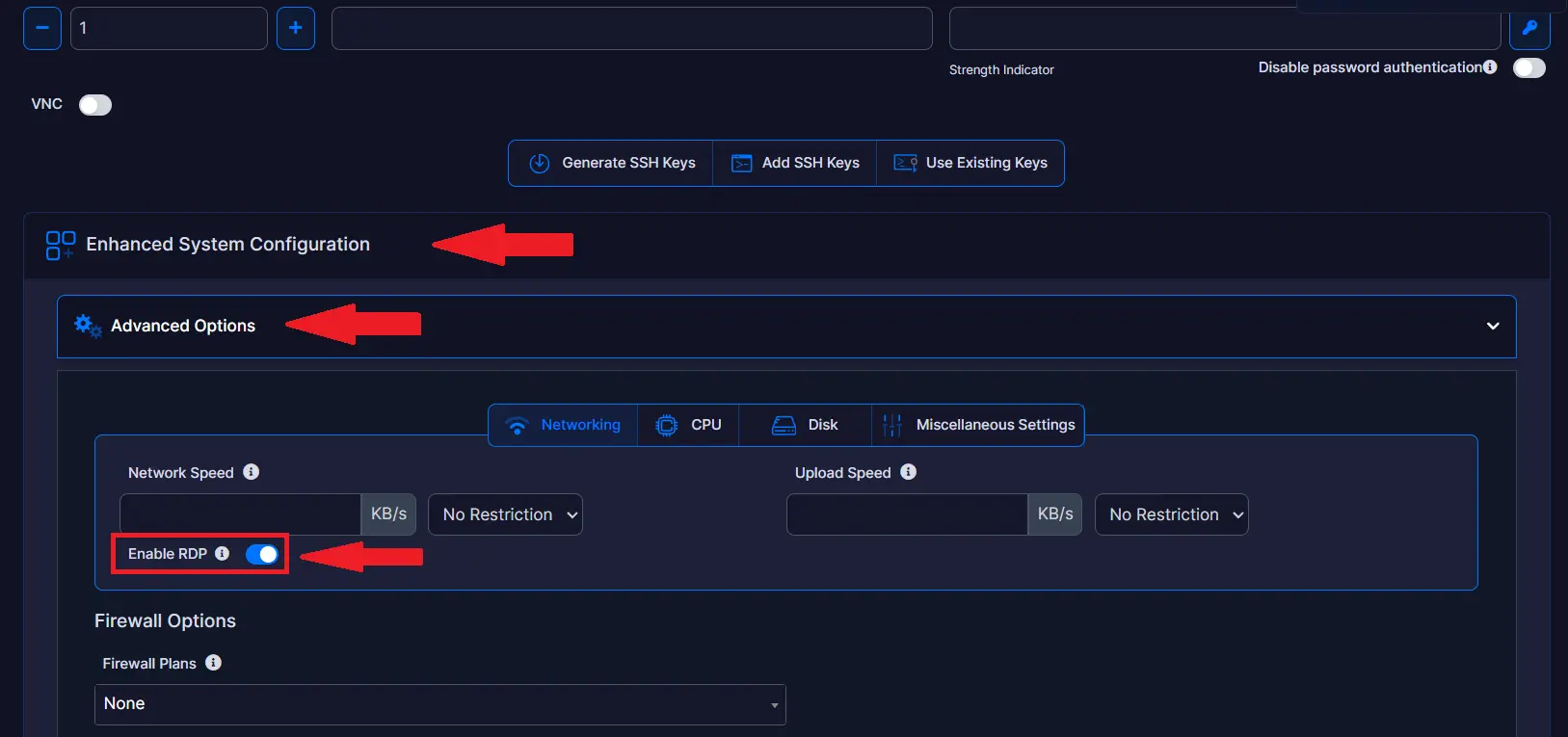
- Navigate to "Enhanced System Configuration" -> "Advanced Options".
- Toggle the selector directly next to "Enable RDP" option:
- Finish configuring any other settings and click the "Create" button.
That's it. The server will now have RDP enabled upon finished installation.
Conclusion
You now know how to enable RDP during Windows VPS creation.
