
 👀 Choose SSD-powered VPS servers for increased speed, power, and security! Now 50% off- starting from only $3.19/mo.
This article provides a guide to automatically sign on to WordPress admin from the WordPress Manager. This article applies to cPanel hosting, WordPress Hosting, and Reseller Hosting users.
How to Automatically Sign On to WordPress Admin from the WordPress Manager
To automatically sign on to WordPress admin from the WordPress Manager, follow the steps below:
- Access the WordPress Manager from cPanel.
- Select the site that for which you will sign on to WordPress admin panel.
- Click "Login" to make use of WordPress Manager Single Sign-on.
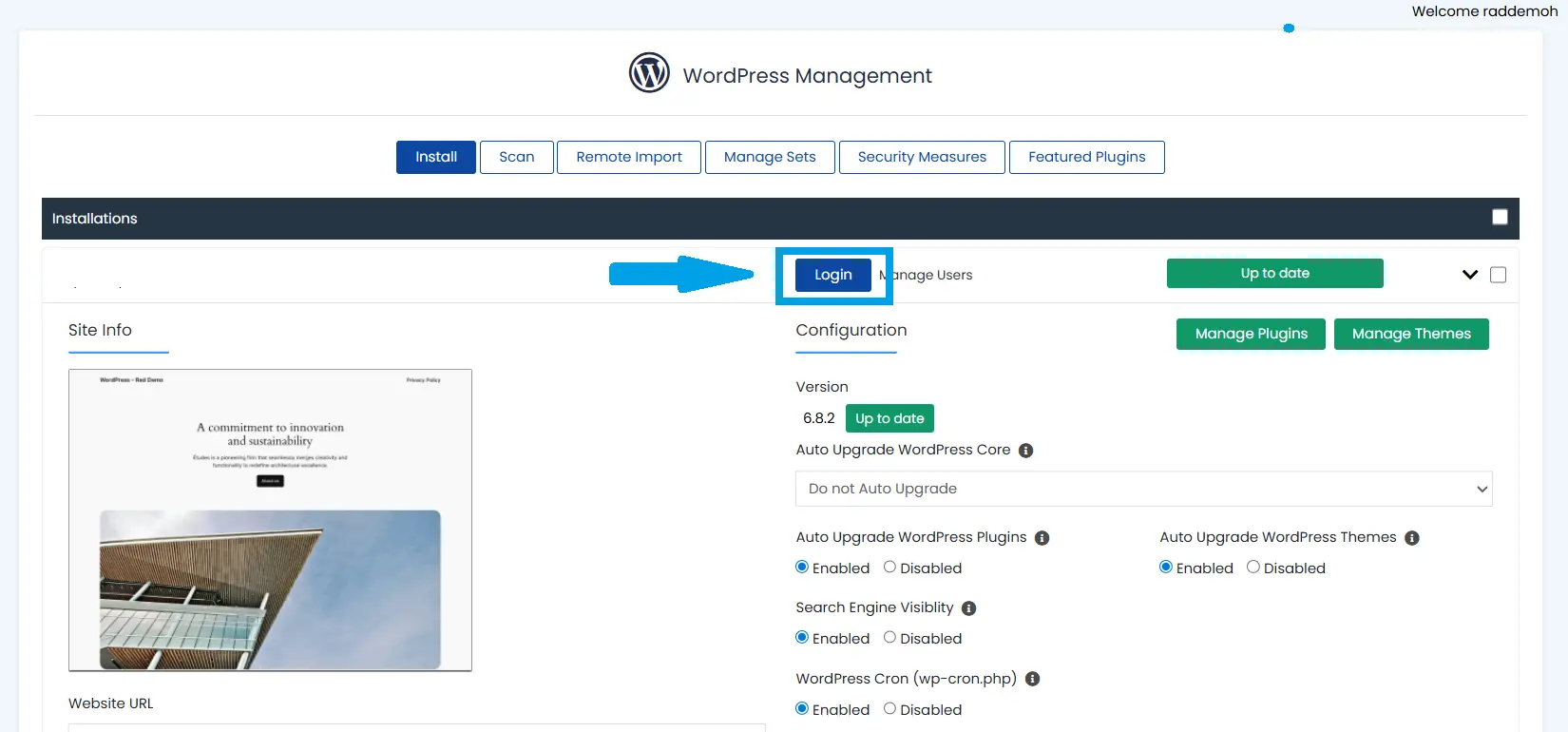
- A new browser tab will open and you will be logged in and directed to that site's WP admin area.
Conclusion
You now know how to automatically sign on to WordPress admin from the WordPress Manager.
