
 👀 Choose SSD-powered VPS servers for increased speed, power, and security! Now 50% off- starting from only $3.19/mo.
This article provides a step-by-step guide demonstrating how to view your support tickets from your Hosting Dashboard account.
How to View Your Support Tickets
To view your support tickets, follow the steps provided below:
- Login to your Hosting Dashboard account.
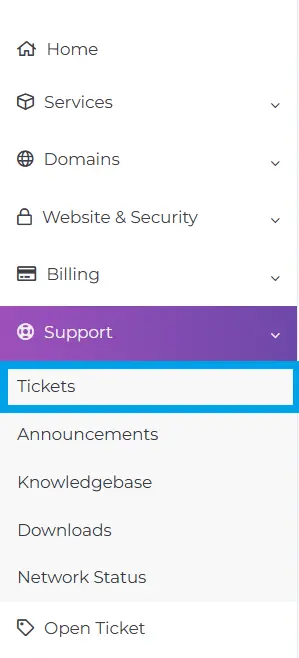
- Navigate to "Support->Tickets" using the menu:
- Click the ticket you wish to view.
- Here, you will be able to view the ticket history including all replies, any file uploads or notes added, as well as submit responses.
Conclusion
You now know how to view your support tickets.
