
 👀 Choose SSD-powered VPS servers for increased speed, power, and security! Now 50% off- starting from only $3.19/mo.
This article provides a guide for how to install PAYG Reseller WHMCS module.
Pre-Requisites
This guide assumes the following environment pre-requisites are met:
- WHMCS installation (v8.x+)
- An active PAYG Partner account (Order here)
Recommended First Steps
How to Install PAYG Reseller WHMCS Module
To install PAYG Reseller WHMCS module, follow the steps below:
- Upload WHMCS module bundle and extract it on your server
- Ensure server module is located at
/<whmcs_directory>/modules/servers/rwhservers - Ensure addon module is located at
/<whmcs_directory>/modules/addons/partner_product_importer - Login to WHMCS admin area.
- Navigate to Settings->Products/Services->Servers
- Click "Add New Server".
- Fill Server Details from your Reseller Product Details:
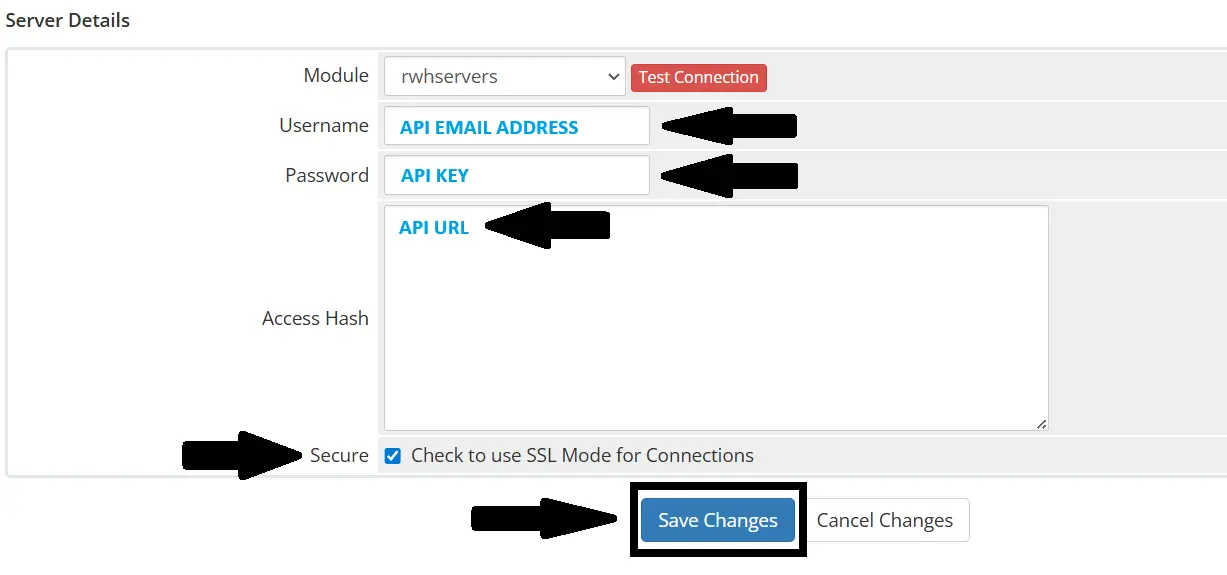
- Click "Save Changes".
- If error on Save, ensure the server "Hostname" field has any value (not empty). Click "Save Changes". The error should not return.
- Navigate to Settings->Products/Services->Servers in WHMCS Admin.
- Click "Create New Group".
- Fill Server Group details and add previously created server to server group:
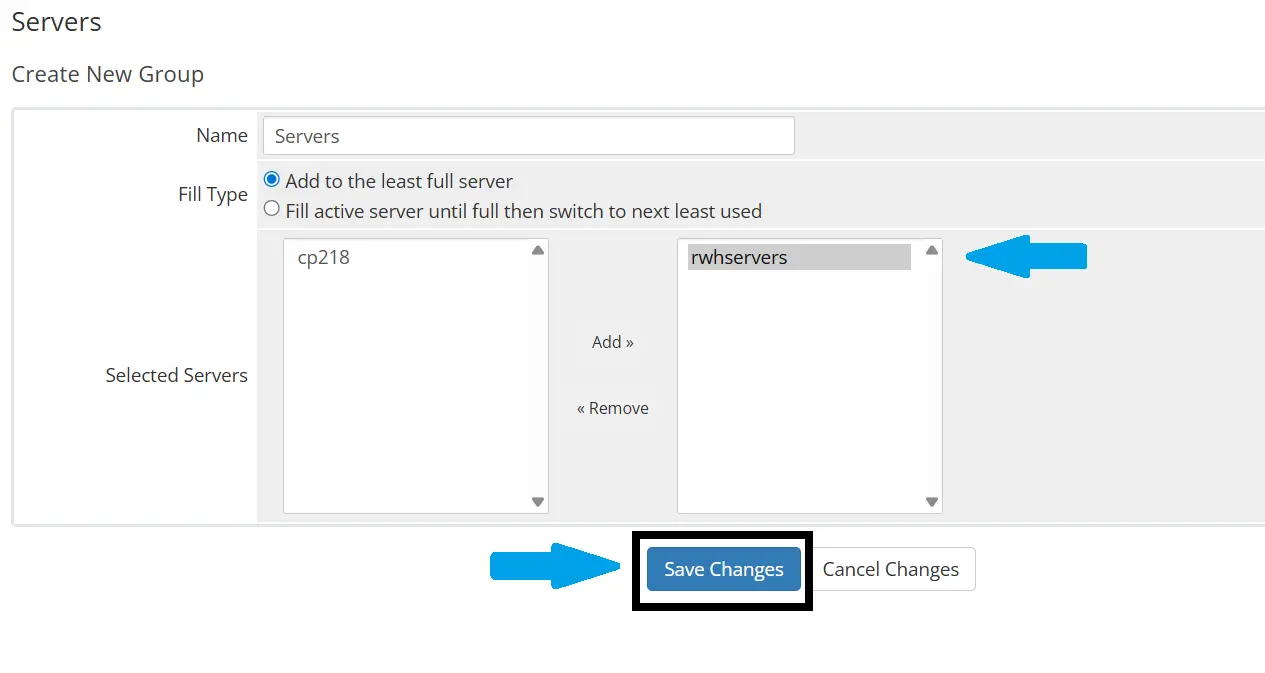
- Click "Save Changes".
- Ensure to whitelist all IP addresses that will be authorized to make calls to the API:
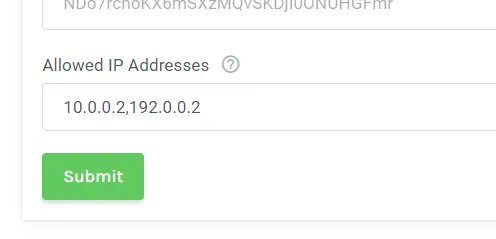
- Navigate to System Settings->Addon Modules
- Activate "RWHServers PAYG Import":
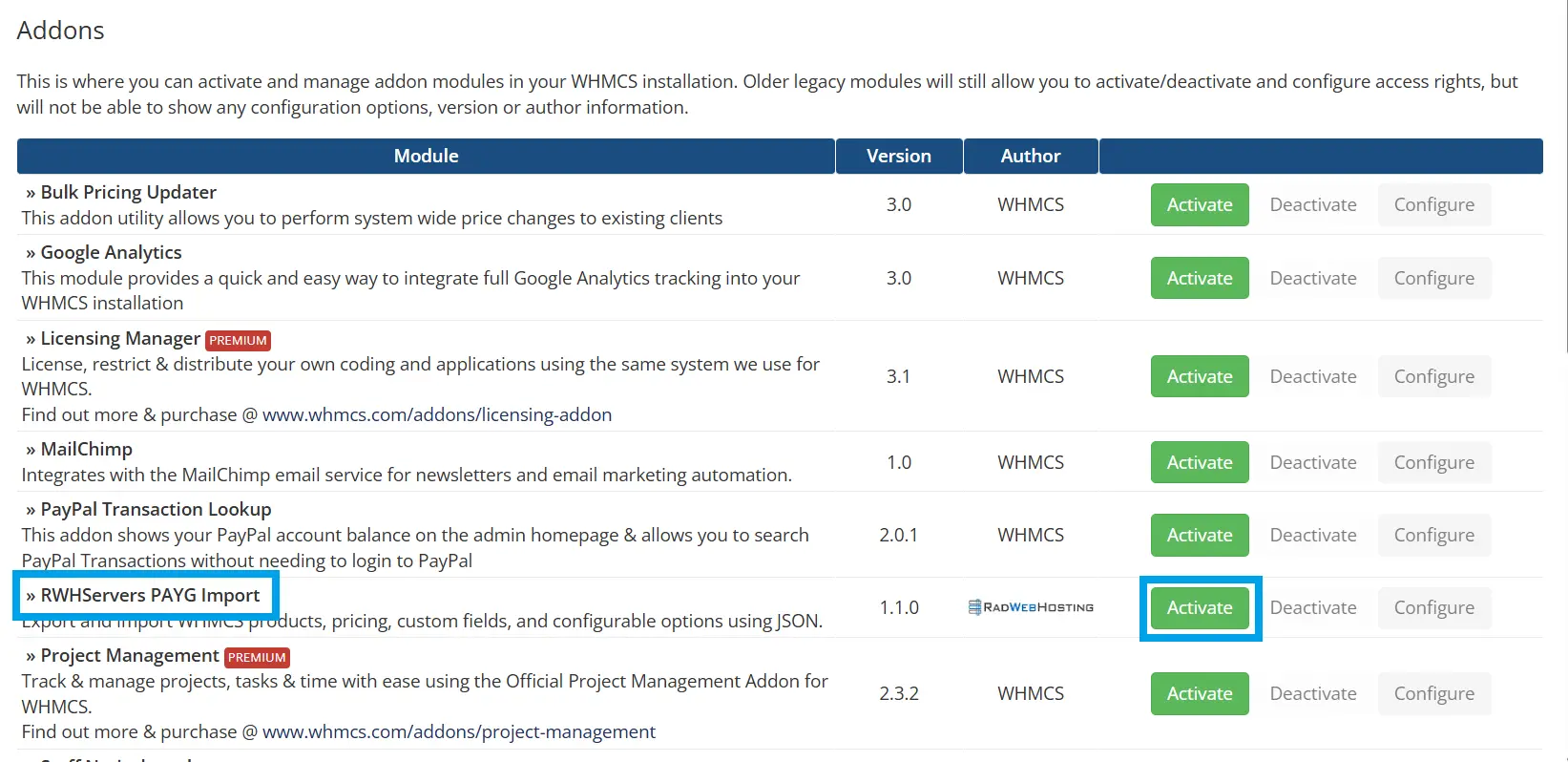
- Navigate to Addons->Partner Product Importer
- Configure settings and upload the
rwhservers-products.json - Run the import using "Dry Run only" setting:
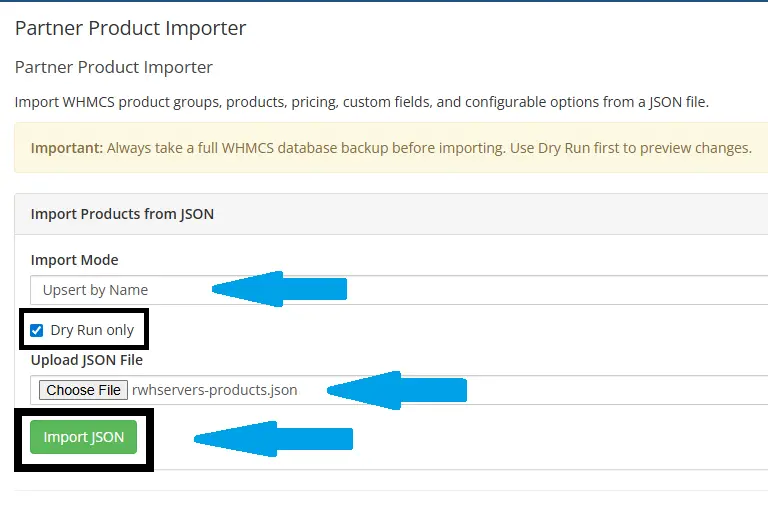
- Verify Dry Run results:
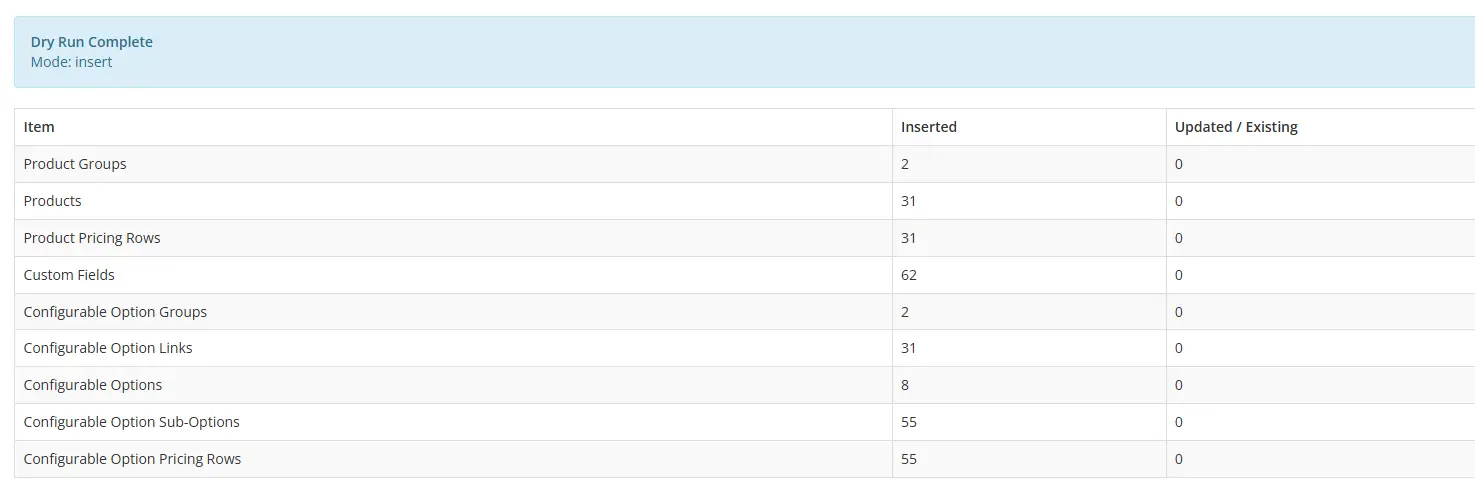
- Run the import again without Dry Run option:
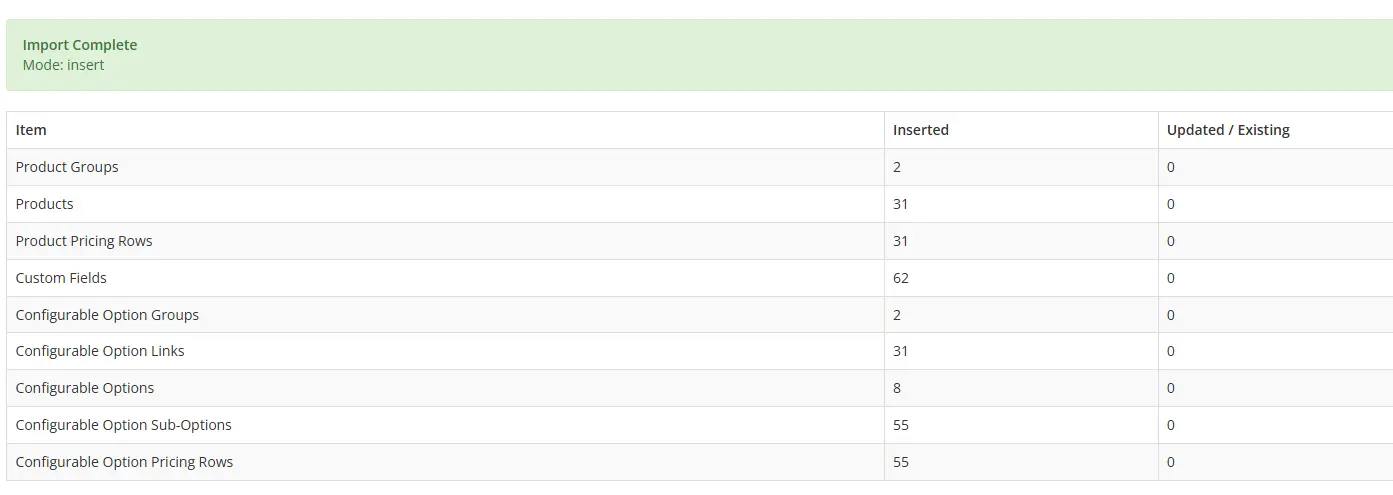
- Navigate to Settings->Products/Services to view the imported product groups and products:
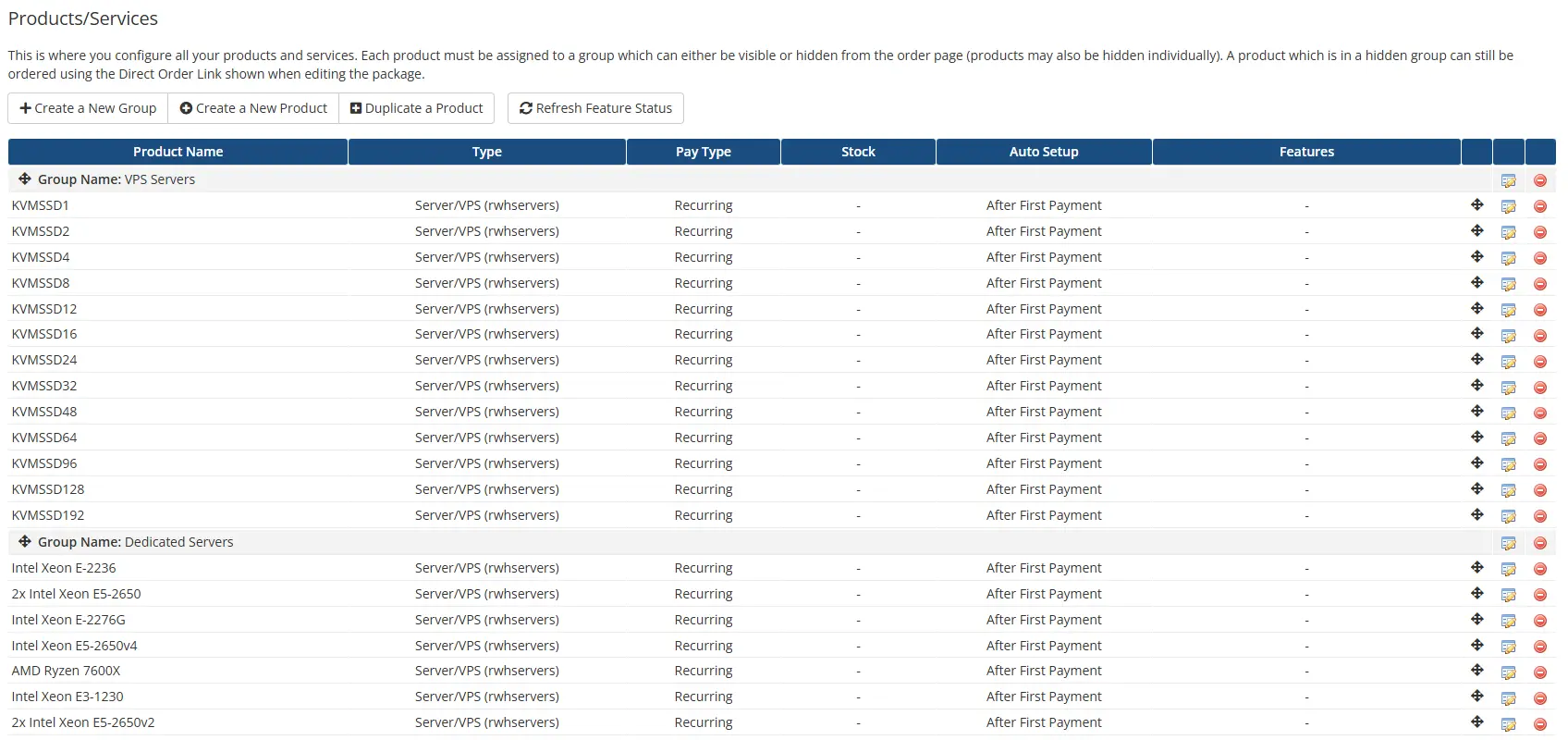
- Navigate to Module Settings. Ensure the Server Group matches the group configured for RWHServers. Use the drop down menu to associate the "Reseller Product" with an available option:
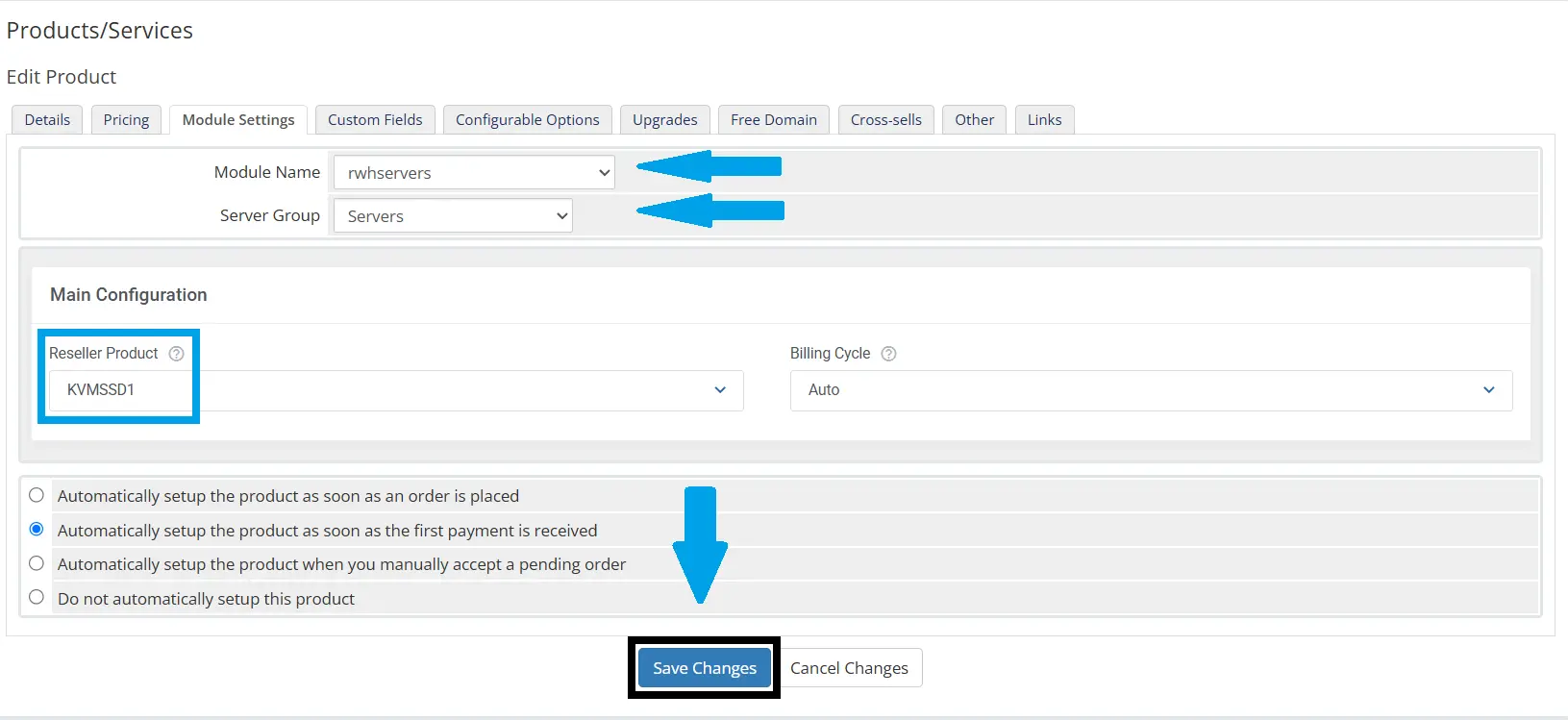
- Click "Save Changes".
- Click "Create Configurable Options":
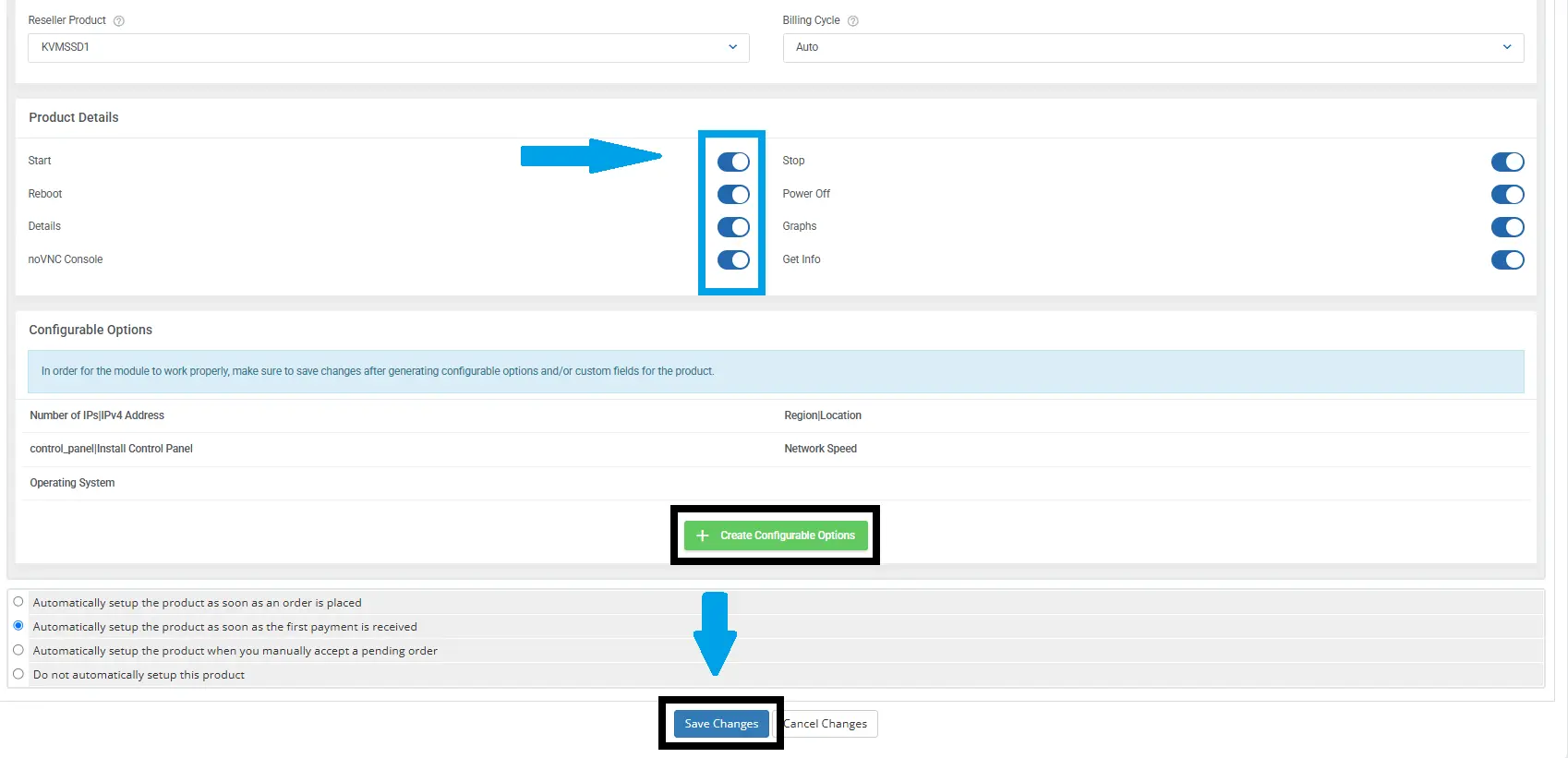
- Click "Create":
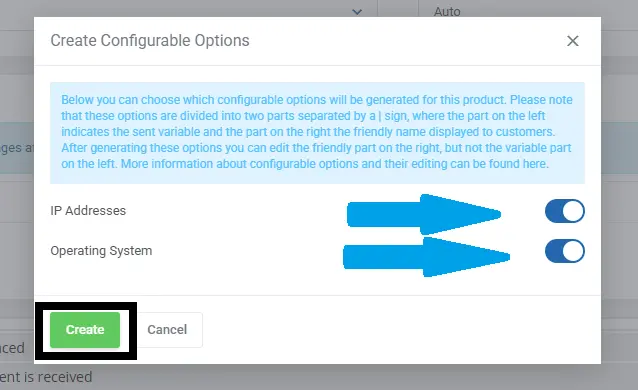
- Click "Save Changes" to activate the changes.
That's it. You can now update your product pricing. All other settings have been automatically synchronized with the API.
Product details:
Conclusion
You now know how to install PAYG Reseller WHMCS module.
