
 👀 Choose SSD-powered VPS servers for increased speed, power, and security! Now 50% off- starting from only $3.19/mo.
This article details how to edit or remove a CNAME record in cPanel. This guide is for use with cPanel shared hosting, reseller hosting, cPanel VPS, or cPanel Dedicated Servers.
How to Edit or Remove a CNAME Record in cPanel
To edit or remove a CNAME record in cPanel, follow the steps below:
- Log in to your cPanel account.
- In the Domains section, click on Zone Editor.

- Under Domains, you can see many options below Actions.
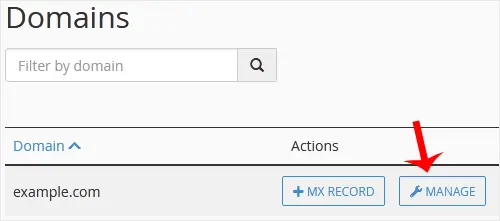
- Click on Manage.
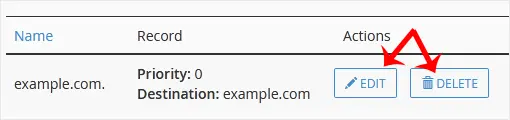
- Locate the CNAME Record you want to edit or remove. Should you wish to edit a CNAME record, click on Edit. Modify the details, and click on Save Record. Removing a record can be done with Delete option.
Conclusion
You now know how to edit or remove a CNAME record in cPanel.
