
 👀 Choose SSD-powered VPS servers for increased speed, power, and security! Now 50% off- starting from only $3.19/mo.
This article provides a guide for how to configure domain for use with Blogger.
How to Configure Domain for Use with Blogger
To configure domain for use with Blogger, follow the steps below:
- Purchase a domain name
- Sign in to Blogger
- Select a blog
- Click Settings in the left menu
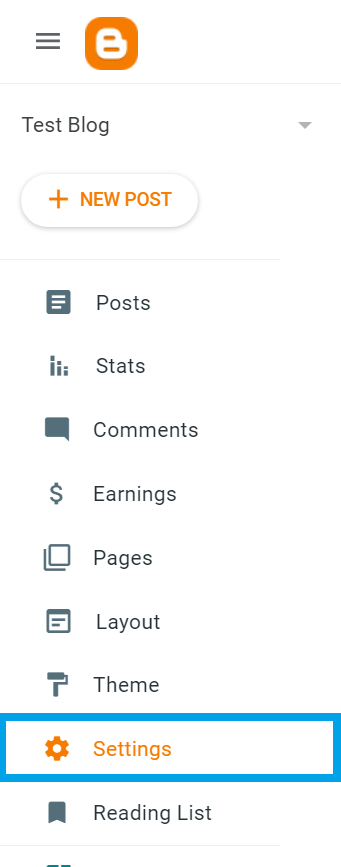
- Click Custom domain under “Publishing”
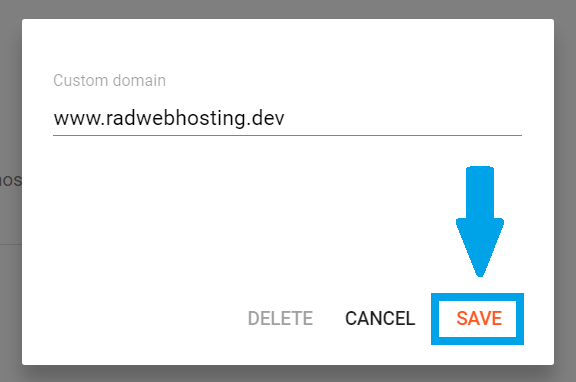
- Enter the domain URL and click Save
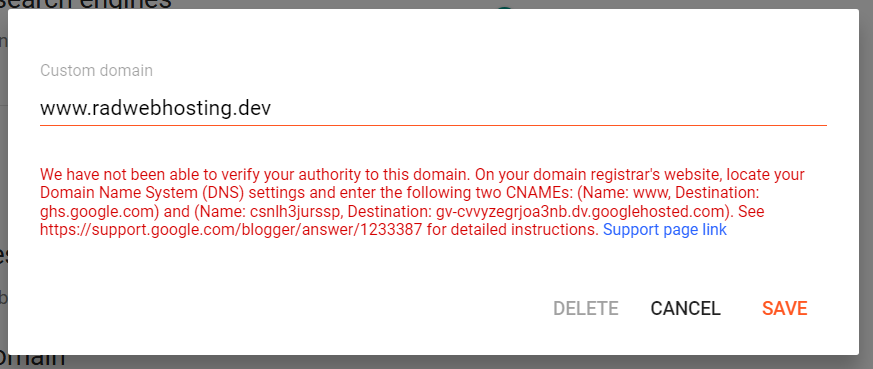
- Note the two CNAME records
- Add the CNAME records using DNS Manager
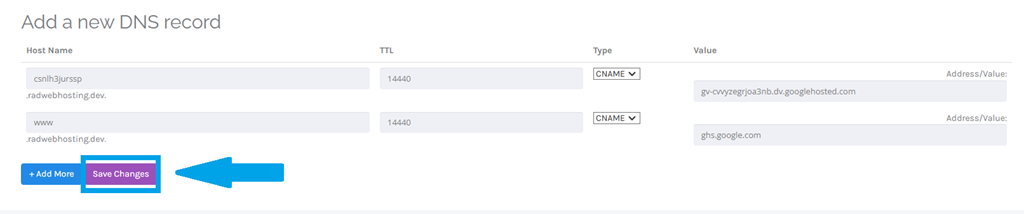
- Save the changes on your Blogger account
- Wait up to 24 hours for the DNS settings to propagate
Conclusion
You now know how to configure domain for use with Blogger.
