
 👀 Choose SSD-powered VPS servers for increased speed, power, and security! Now 50% off- starting from only $3.19/mo.
This article provides a guide for how to create API credentials from the Cloud Panel.
Create API Credentials
-
First, login to the VPS panel with your Cloud Panel details.
-
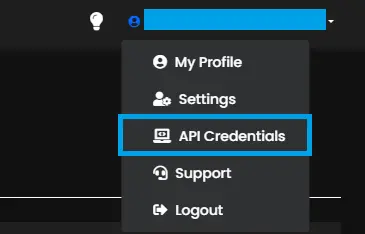
Access the side menu and navigate to "API Credentials".
-
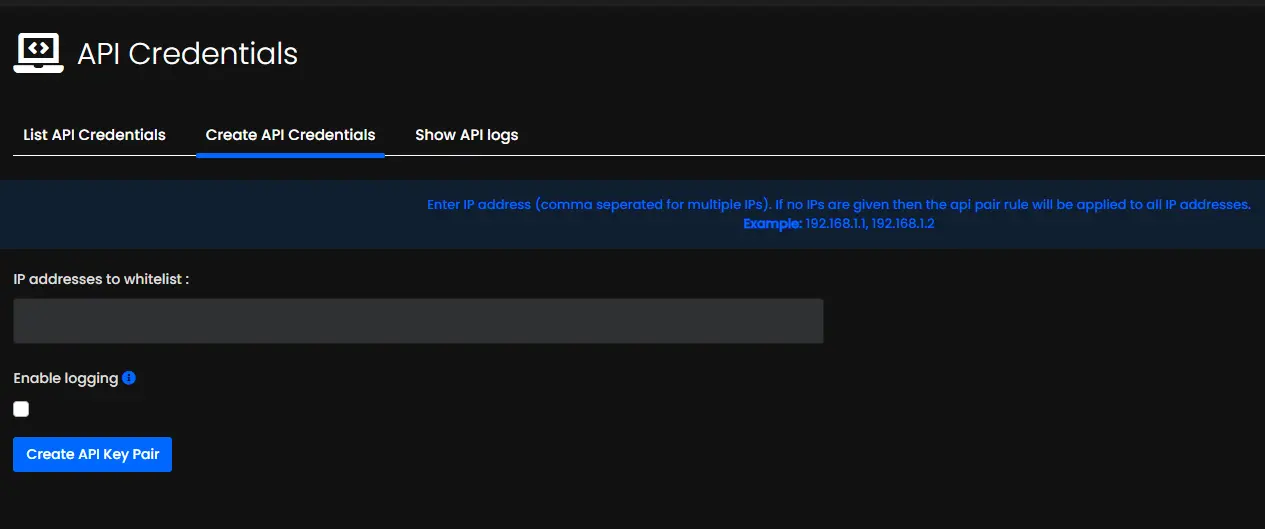
Navigate to the "Create API Credentials" tab to configure and generate the API Key Pair. Add IP addresses to whitelist (comma-separated) or leave empty to allow access from all IP addresses (not recommended). Tick "Enable Logging" to enable logging of API activities. Click "Create API Key Pair" button to create API credentials.
-
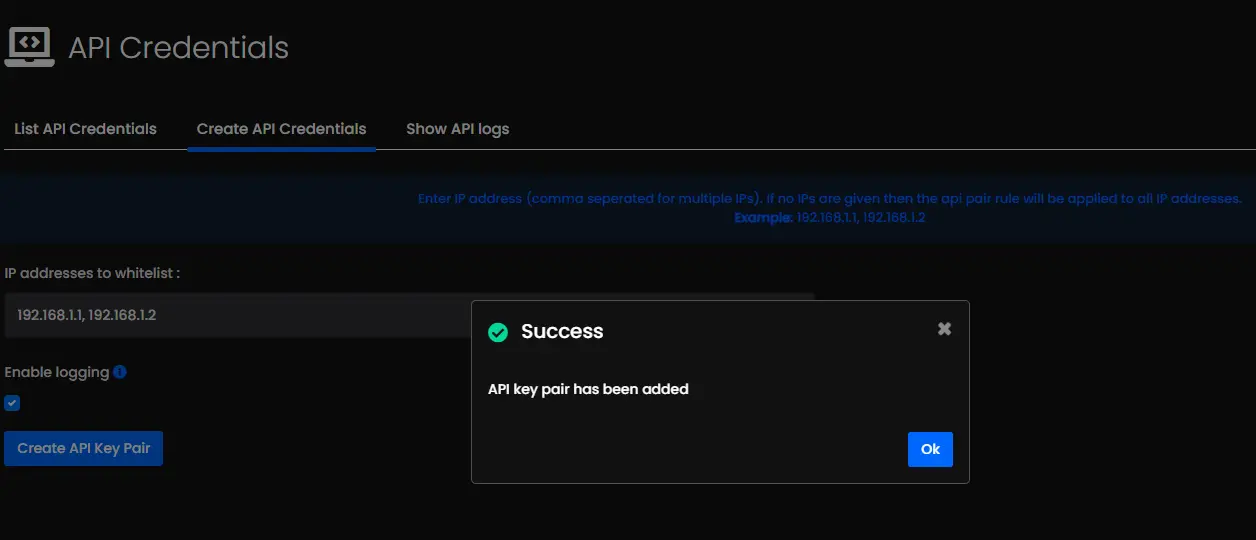
API Key Pair success message will display upon successful creation.
View API Credentials
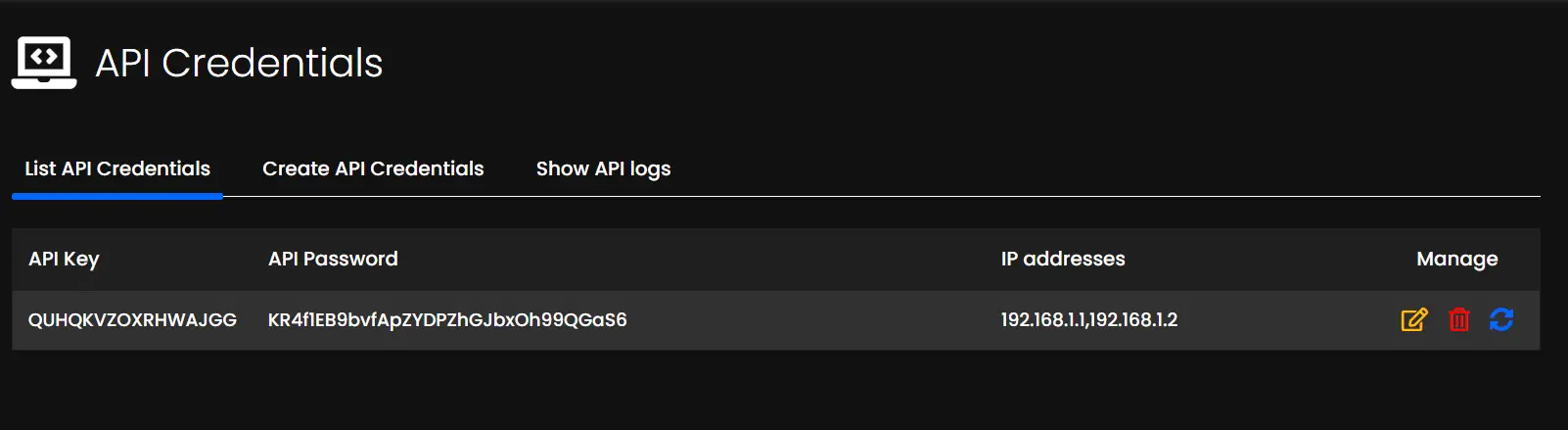
To view existing API credentials, use the "List API Credentials" tab in the "API Credentials" interface.
Conclusion
You now know how to create API credentials from the Cloud Panel.
