
 👀 Choose SSD-powered VPS servers for increased speed, power, and security! Now 50% off- starting from only $3.19/mo.
This article provides a guide demonstrating how to import all available domain TLDs and pricing for RadWebPro WHMCS registrar module.
Pre-requisites
This guide assumes the following conditions to be true:
- You have an active Domain Reseller account.
- Latest version of the RadWebPro registrar module installed, activated, and configured as a domain registrar in your WHMCS.
- Either the 'USD' or "EUR" currency is active in WHMCS (any other active currencies will be calculated based on the exchange rate to 'USD').
- A Full Administrator account to run the importer
- On your WHMCS server, the following PHP settings must be set in
php.ini:allow_url_fopento truemax_input_vars> 10000
How to Import All Available Domain TLDs and Pricing
To import all available domain TLDs and pricing from the RadWebPro registrar module, follow the steps below:
- Login to the WHMCS admin area.
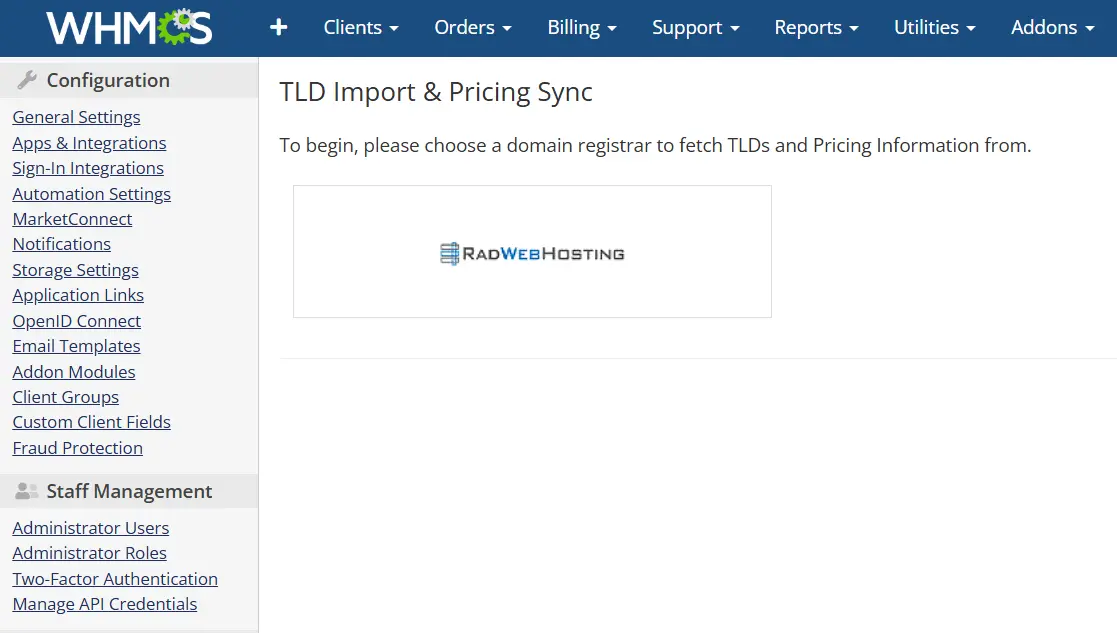
- Navigate to the TLD Import Utility (Utilities->Registrar TLD Sync).
- Click on the Rad Web Hosting logo to initiate the domain TLDs and pricing import.
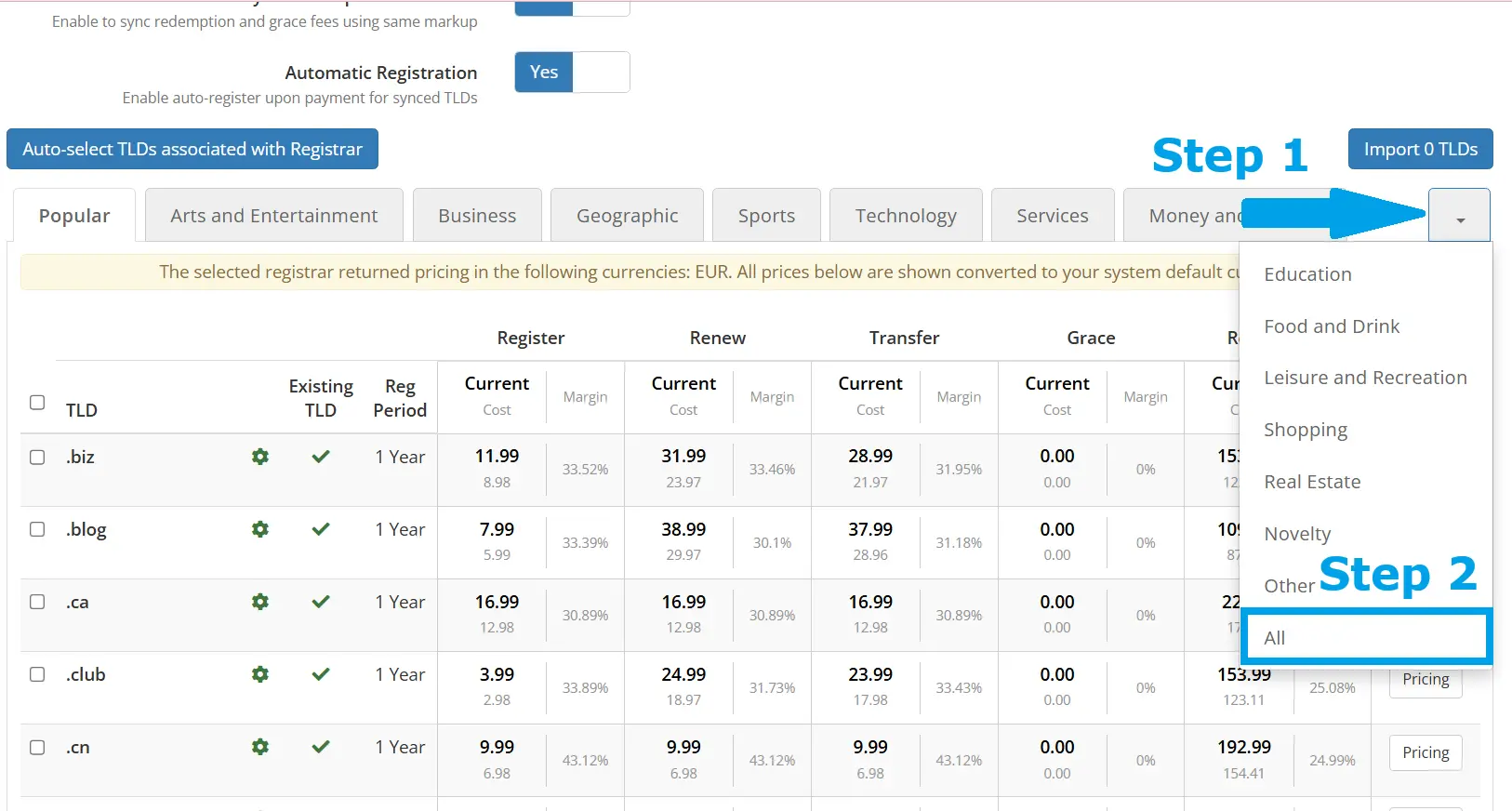
- Before anything else, use the drop-down menu to choose "All" TLDs view.
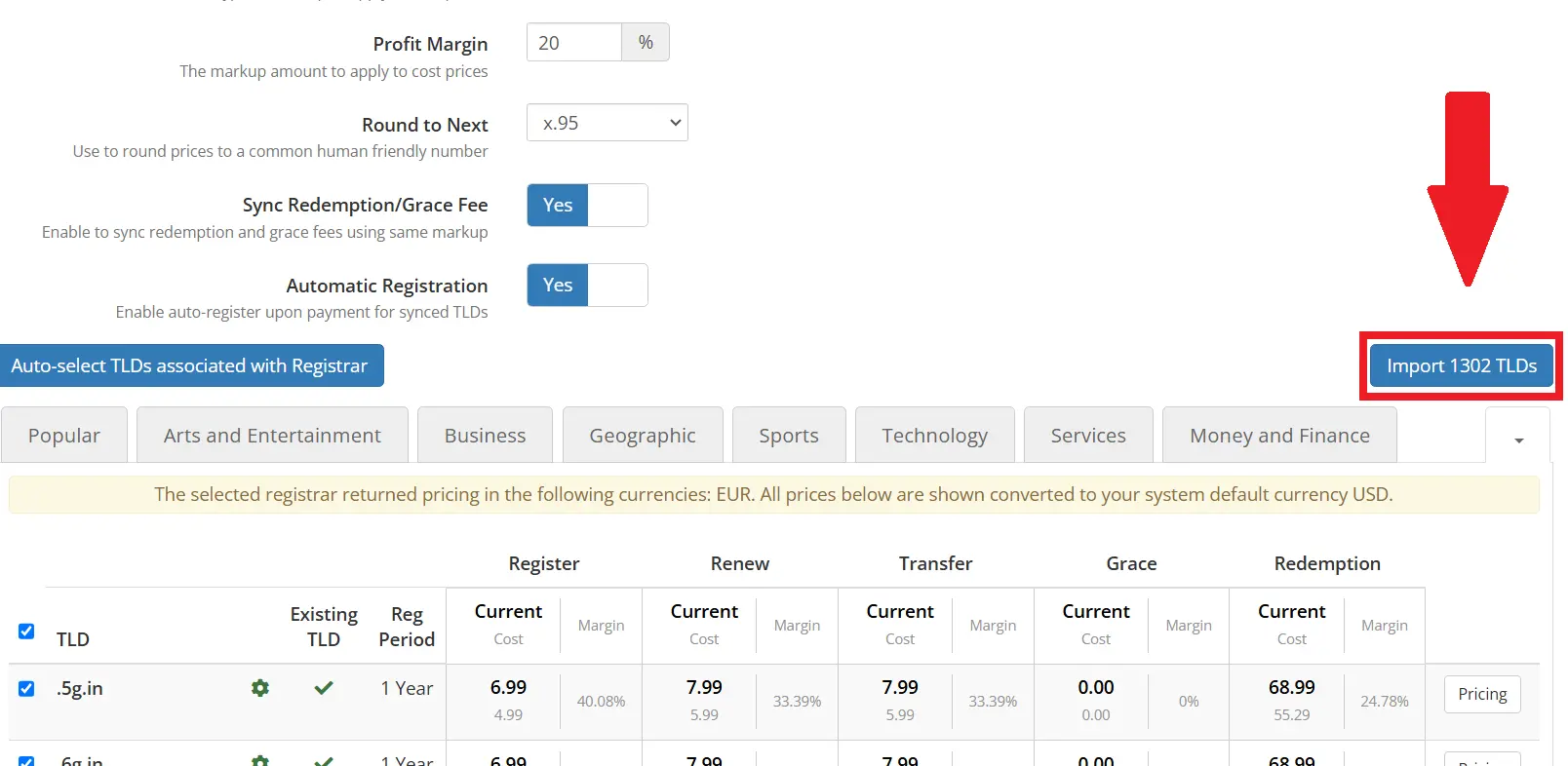
- Configure the import settings using the following options:
- Margin Type - Choose whether to apply markup based on a percentage of the cost or by applying a fixed value markup (i.e. add $5.00 markup to all TLDs)
- Profit Margin - Based on the Margin Type selected in previous step, enter the profit margin to apply the desired markup (i.e. 20% or 5.00)
- Round to Next - Choose a number to append to all TLD prices (i.e. x.99 for all TLD prices to end in .99-$1.99, $2.99, $3.99, etc) or choose "No Rounding" to skip Rounding
- Sync Redemption/Grace Fee - Choose whether to synchronize the Redemption and Grace period billing values during import (applies the same Markup conditions to these values)
- Automatic Registration - Choose whether to set "RadWebPro" as Auto-Register value. This setting is highly recommended to enable the automated registration/transfer/renewal of domains within your WHMCS

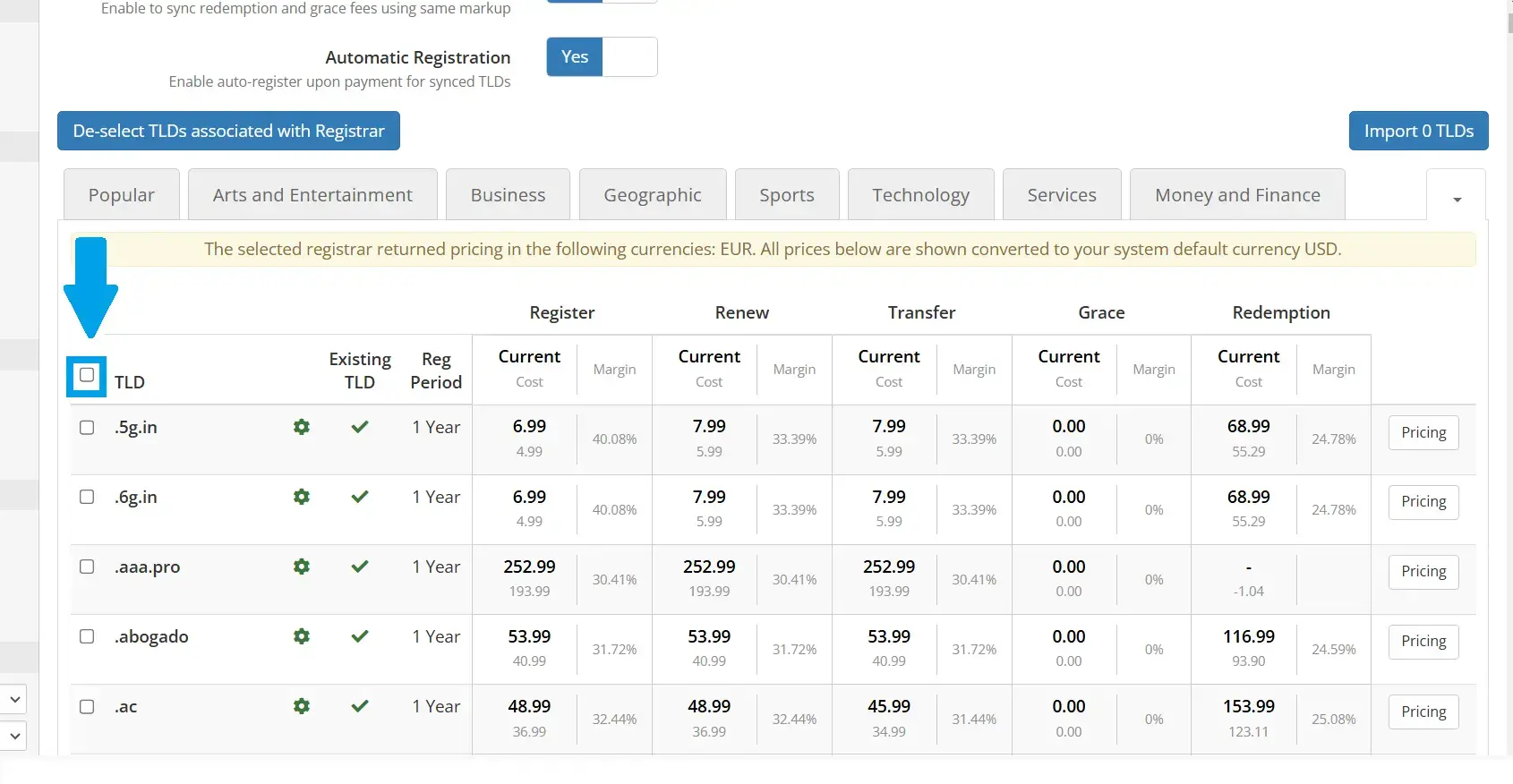
- Use the tick box to select all TLDs.
- Click the "Import" button to initiate the TLD and pricing import.
- Once complete, a confirmation message will appear with the list of TLDs that were imported or synchronized with your RadWebPro registrar.
Conclusion
You now know how to import all available domain TLDs and pricing for WHMCS registrar module.
